WhatsApp Broadcast Lists vs Groups
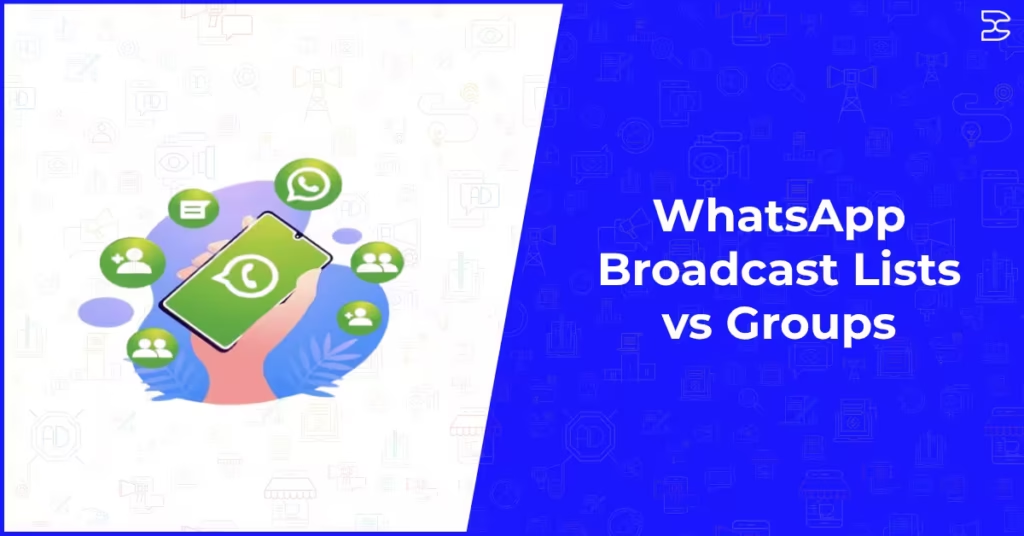
Table of Contents
ToggleWhatsApp Broadcast Lists vs Groups: Which One Should Your Business Use?
WhatsApp is one of the most used messaging platforms in the world, and for businesses it offers two distinct ways to reach multiple people at once. Broadcast lists and groups are both built into the platform, both widely used, and yet frequently confused with one another. Choosing the wrong one for the wrong purpose can result in low engagement, unwanted replies flooding an inbox, or customers feeling like they are being spammed rather than served.
In 2026, with WhatsApp marketing firmly established as a serious channel for businesses of all sizes, understanding the practical difference between broadcast lists and groups is more important than ever. This guide explains exactly how each feature works, when to use one over the other, and how to build a smarter WhatsApp communication strategy around both.
What Is a WhatsApp Broadcast List?
A WhatsApp broadcast list is a saved list of recipients that allows you to send a single message to multiple contacts simultaneously. Each recipient receives the message as a private, individual conversation. They cannot see who else received the same message, and replies come directly back to you privately rather than going to the whole group.
Think of it like a BCC email. The message goes to many people, but each person has what feels like a one-to-one conversation with you. For the recipient, there is no indication they are part of a bulk send. The message simply arrives in your chat thread with that business or contact.
One important limitation of broadcast lists in the standard WhatsApp app is that a recipient must have saved your number in their contacts for them to receive a broadcast message from you. If they have not saved you, the message will not be delivered. This restriction does not apply in the same way when using the WhatsApp Business API through approved third-party platforms, which is what most serious business senders use for scale.
What Is a WhatsApp Group?
A WhatsApp group brings multiple people into a single shared conversation. All members can see every message sent, who sent it, and who else is in the group. Anyone in the group, depending on the settings, can reply and contribute to the conversation, making it a two-way, community-style communication channel.
Groups can have up to 1,024 members as of 2026. They are visible to all participants, meaning everyone can see the full member list. Group admins control who can post, whether the group is open to all members to post or restricted to admins only, and who can be added.
WhatsApp groups are inherently community-focused. They work well when the goal is to facilitate conversation between members, share ongoing updates that benefit from discussion, or build a community around a shared interest or purpose.
The Core Differences Between Broadcast Lists and Groups
Privacy and Visibility
This is the most fundamental difference between the two features. In a broadcast, recipients have no idea who else received the message. In a group, every member can see every other member and every message sent. For businesses sending promotions, updates, or sensitive information, broadcasts preserve the privacy of your contact list and give recipients a more personal experience.
Reply Behaviour
When a recipient replies to a broadcast message, that reply comes back only to you in a private chat. No one else sees it. In a group, any reply is visible to every member of the group. This distinction is critical for how you plan your messaging. If you want private responses and direct conversations, broadcast is the right tool. If you want open discussion and peer interaction, a group serves that purpose.
Recipient Experience
Broadcast messages feel personal because they land in the recipient’s individual chat with you, without any group label or indication of mass sending. Group messages arrive in a clearly labelled group chat, which immediately signals to the recipient that they are part of a shared conversation. Depending on your brand and your audience relationship, this distinction can significantly affect how your messages are received and whether they are opened quickly or left unread.
Scale and Management
Standard WhatsApp broadcast lists are limited to 256 contacts per list, and you can create multiple lists. WhatsApp groups can hold up to 1,024 members. For businesses that need to communicate at scale, especially for marketing or transactional messages, the WhatsApp Business API unlocks far greater reach through tools designed for bulk sending with proper consent management, delivery tracking, and automation. This is a core part of how serious businesses use the platform, and it connects directly to how the right WhatsApp marketing tools make a practical difference in what is achievable.
When to Use Broadcast Lists for Your Business
Broadcast lists are the right choice when you are sending outbound information that does not require or benefit from group discussion. They are well suited to promotional messages such as a flash sale or limited offer, appointment or booking reminders, order confirmations and delivery updates, personalised follow-ups after an inquiry or purchase, and re-engagement messages to customers who have not interacted with your business recently.
The one-to-one feel of a broadcast message makes recipients more likely to read and respond, particularly for time-sensitive information. Because replies come directly to you, you can manage responses individually and provide personalised customer service without the noise of a shared group thread.
For businesses building a WhatsApp marketing strategy around outbound messaging, broadcasts are the starting point. Combining them with a well-structured content plan and proper opt-in processes keeps your communications compliant and effective.
If you are new to WhatsApp as a marketing channel, understanding how to use broadcast lists effectively sits within the broader framework of best WhatsApp marketing tools and platforms available in 2026, which are designed to extend broadcast capabilities well beyond what the native app allows.
When to Use WhatsApp Groups for Your Business
Groups work best when the value comes from community participation rather than one-way information delivery. Common and effective uses of WhatsApp groups for businesses include customer communities where members share experiences and ask questions, internal team communication and project coordination, live event updates where real-time discussion adds value, loyalty or VIP communities where members benefit from connection with each other, and educational cohorts or course groups where learners interact with instructors and peers.
The key to a well-managed WhatsApp group is clear purpose and active moderation. Without a defined reason for the group to exist, they quickly fill with off-topic content, notifications that members mute or ignore, and an overall drop in engagement. Admins should set clear expectations at the start and keep the group focused on why members joined in the first place.
Groups can also serve as a trust-building tool. When customers see others engaging positively with your brand and each other, it reinforces social proof in a way that one-to-one messaging cannot replicate.
Can You Use Both at the Same Time?
Yes, and many businesses do. A well-structured WhatsApp communication strategy often uses both features for different purposes at different stages of the customer journey.
A typical approach might look like this. When a new customer makes a purchase, they receive a broadcast message confirming their order and providing delivery information. A week later, they receive a personalised follow-up broadcast asking for feedback or offering a related product. Meanwhile, your most loyal customers are invited into a VIP group where they get early access to new products, take part in polls, and interact with your team directly.
This layered approach treats broadcast and groups as complementary tools rather than alternatives. The broadcast handles personalised, private outbound communication. The group builds community and deepens long-term loyalty.
Getting this balance right is part of building a more cohesive digital marketing content strategy where WhatsApp plays a defined role alongside your email, social media, and paid channels rather than operating as a disconnected add-on.
WhatsApp Business App vs WhatsApp Business API: What Changes
The standard WhatsApp Business app is free and suitable for small businesses managing a modest contact list manually. It supports broadcast lists of up to 256 contacts and basic group creation. However, it does not support automation, CRM integration, multi-agent management, or detailed analytics.
The WhatsApp Business API, accessed through approved third-party platforms, removes most of those limitations. It supports large-scale broadcast messaging with proper opt-in compliance, automated response flows, rich media messages, and integration with your existing CRM and sales tools. For any business looking to use WhatsApp seriously as a marketing or customer service channel, the API is where the real capability sits.
Choosing the right platform to access the WhatsApp Business API is as important as choosing between broadcasts and groups. The principles behind how to evaluate that decision overlap significantly with how you would approach choosing an SEO and digital marketing agency, where the quality of the underlying expertise and infrastructure matters far more than surface-level features.
Compliance and Consent: What Businesses Must Get Right
Whether you are using broadcast lists or groups, WhatsApp requires that recipients have given their consent to receive messages from your business. Sending unsolicited messages, particularly through unofficial bulk sending tools, violates WhatsApp’s terms of service and can result in your account being restricted or permanently banned.
For broadcast messages, this means building your contact list through explicit opt-in mechanisms such as website forms, checkout flows, or in-person sign-ups where customers actively agree to receive WhatsApp communications from you. For groups, it means adding people only when they have been informed they are being added and have agreed to be part of the community.
Consent management is not just a compliance requirement. It is also a practical filter that ensures your messages are going to people who actually want to hear from you, which directly improves open rates, response rates, and the overall return on your WhatsApp investment.
Getting the compliance and consent side right from the beginning is especially important for businesses investing in PPC and paid social campaigns that drive traffic to WhatsApp opt-in flows, where the quality of the resulting list determines how well those campaigns ultimately perform.
Final Thoughts
The choice between WhatsApp broadcast lists and groups is not really a competition. They are different tools designed for different communication goals, and the most effective WhatsApp strategies for businesses in 2026 use both thoughtfully.
Use broadcast lists when you want to reach contacts individually with relevant, timely information that feels personal. Use groups when you want to build community, facilitate discussion, and deepen engagement among members who share a common interest or relationship with your brand.
The underlying principles of good WhatsApp communication, consent-based contact lists, clear purpose, consistent value, and measured performance, apply equally to both. Getting those foundations right is what separates businesses that see real results from WhatsApp from those that treat it as just another place to push messages nobody asked for.
If you want to build a WhatsApp strategy that works as part of a connected and measurable digital marketing strategy, explore how our team can help you plan, implement, and optimise WhatsApp as a genuine revenue-driving channel for your business.
Frequently Asked Questions (FAQs)
A broadcast list sends a single message to multiple contacts individually. Each recipient receives it as a private message and cannot see who else was included. A group puts all members into a shared conversation where everyone can see all messages and who else is in the group. Broadcasts are one-way by nature; groups are designed for two-way discussion.
Yes. When a recipient replies to a broadcast message, their reply comes directly to you as a private one-to-one message. No other recipients see the reply. This makes broadcasts useful for outbound marketing where you want individual follow-up conversations rather than public group discussion.
No. From the recipient's perspective, a broadcast message looks exactly like a regular message from you in their private chat. There is no label or indicator that the message was part of a bulk send. This is one reason why broadcast messages tend to feel more personal and get higher open and response rates than group messages.
The standard WhatsApp and WhatsApp Business apps allow up to 256 contacts per broadcast list. You can create multiple lists. For businesses that need to reach larger audiences, the WhatsApp Business API accessed through third-party platforms removes this cap and allows for large-scale compliant broadcast campaigns.
For outbound marketing messages such as promotions, updates, and reminders, broadcast lists are generally more effective because they feel personal and recipients cannot see or be distracted by other members. Groups work better for community building, ongoing engagement, and situations where member interaction adds value. Many businesses use both for different purposes at different stages of the customer journey.
In the standard WhatsApp app, broadcast messages are only delivered to recipients who have saved your number in their contacts. This is a significant limitation for businesses with large or cold contact lists. The WhatsApp Business API does not have this same restriction, which is one of several reasons why businesses that rely on WhatsApp for marketing typically use an approved API platform rather than the native app.
Our Related Posts