GBP Suspended? How to Recover Your Listing
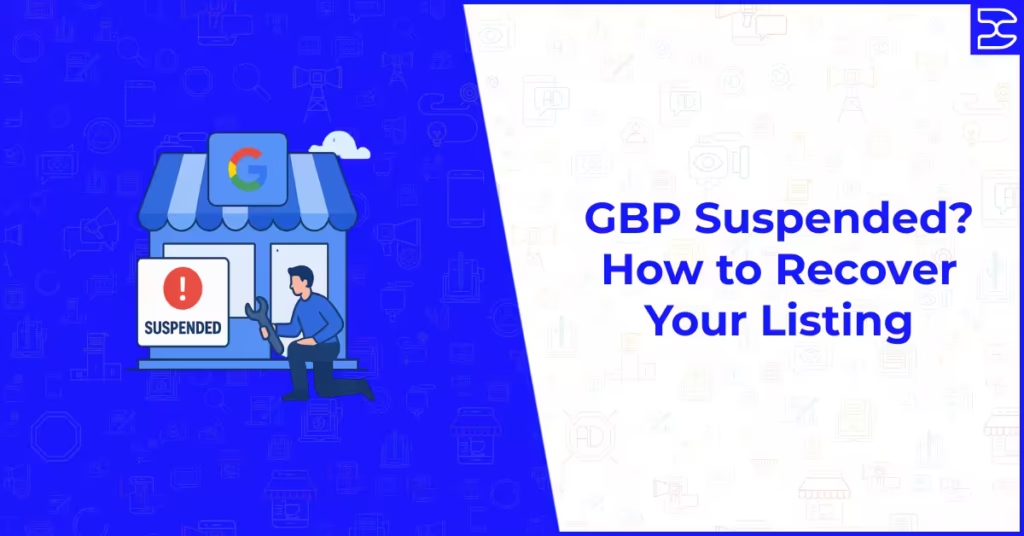
Table of Contents
ToggleGBP Suspended? How to Recover Your Listing
Finding out that your Google Business Profile has been suspended is one of the more alarming things that can happen to a local business’s digital presence. Your listing disappears from Google Maps and local search results, your phone stops ringing from Google-generated calls, and the visibility you have spent months building vanishes without warning. It happens to well-run businesses just as often as it happens to those operating outside Google’s guidelines, and the recovery process can be confusing if you do not know where to start.
The good news is that most GBP suspensions are reversible. Understanding why suspensions happen, which type of suspension has affected your listing, and what steps to take in the right order gives you the clearest path back to reinstatement. This guide covers everything you need to know to recover a suspended Google Business Profile efficiently and to protect your listing from future suspension.
The Two Types of GBP Suspension
Google distinguishes between two types of suspension, and knowing which one applies to your listing is the essential first step because the recovery process is different for each.
Soft Suspension
A soft suspension means your listing still exists in Google’s system and may still be visible in certain search contexts, but it has been marked as unverified and its prominence in local search results is significantly reduced. You retain access to the Google Business Profile dashboard and can still see and edit your profile, but the listing loses the verified status that gives it full local ranking visibility.
Soft suspensions are often the result of a policy violation that Google has flagged but not fully actioned, or they can occur when Google detects inconsistencies in your profile that raise questions about whether the listing genuinely represents a real, operating business at the location specified. The resolution process for a soft suspension typically involves identifying and correcting the issue that triggered the flag, then requesting reverification.
Hard Suspension
A hard suspension is a full removal of your listing from Google’s active directory. The profile becomes inaccessible through your Google Business Profile account, and the listing is no longer visible to searchers in Google Maps or local search results. Hard suspensions are applied when Google determines that a listing has violated its policies in a way that warrants complete removal rather than a warning or partial action.
Hard suspensions require a formal reinstatement request submitted through Google’s support process. They are more serious than soft suspensions and require careful preparation before submitting an appeal. Submitting an appeal without addressing the underlying reason for the suspension reduces the likelihood of reinstatement and can delay the process significantly.
Why Google Suspends Business Profiles
Google suspends listings when it determines that the listing violates its Business Profile policies. Understanding the most common reasons gives you the context to identify what may have triggered the suspension for your listing and to correct it before submitting a reinstatement request.
Keyword Stuffing in the Business Name
One of the most common causes of suspension is using keywords in the business name field that are not part of the genuine legal or trading name of the business. Adding descriptors such as “best,” “number one,” service keywords, or location terms to the business name field in an attempt to gain ranking advantage is a direct policy violation. Google’s guidelines state that the business name should reflect the real-world name used on your signage, website, and business documents. Any deviation from this standard is a suspension risk.
Inaccurate Address or Virtual Office Address
Using an address that does not reflect a genuine, staffed business location is a common suspension trigger. This includes virtual office addresses used solely for mail forwarding without genuine business activity at the location, PO box addresses, addresses at co-working spaces where no specific desk or office is consistently assigned to your business, and residential addresses for businesses that do not genuinely serve customers there. Google’s policy requires that a business’s listed address be a location where the business is genuinely based and accessible.
Multiple Listings for the Same Location
Creating or maintaining more than one listing for the same business at the same address is a policy violation. Duplicate listings, whether created intentionally to occupy more search positions or accidentally through multiple account setups, are a suspension trigger. Google also flags situations where a single address hosts what appears to be multiple distinct business entities that share the same phone number, website, or ownership, which it interprets as an attempt to game the local search system.
Misrepresented Business Category or Services
Selecting business categories that do not accurately reflect what the business genuinely does, or listing services that the business does not actually provide, violates Google’s accuracy requirements. This is most commonly an issue when businesses select additional categories to capture traffic from high-volume searches that are not directly relevant to their actual offering. Categories and services should accurately reflect the business’s real operations.
Suspicious Profile Activity
Sudden or unusual changes to core listing information, including the business name, address, phone number, or website URL, particularly if made rapidly after a period of inactivity, can trigger a suspension review. Google monitors listing activity and flags patterns that suggest the listing may have been taken over, is being used fraudulently, or that the information no longer accurately reflects the real business. Businesses that have recently undergone genuine changes should make profile updates gradually and be prepared to provide verification documentation.
Third-Party or Competitor Complaints
Anyone with a Google account can flag a business listing for policy violations. Competitors, disgruntled customers, and automated spam detection systems can all initiate a review that results in suspension. While a complaint alone is not sufficient to cause a suspension if the listing is genuinely compliant, it does trigger a review process that scrutinises the listing more carefully. Maintaining a fully policy-compliant listing is the best protection against competitor-initiated suspension attempts.
Protecting your GBP from suspension is part of the broader discipline of managing your local online presence carefully. Understanding which signals Google evaluates for local listings is covered in our guide to how Google Maps ranking works, which explains the full framework of what Google is looking for in a compliant and well-performing local listing.
Step-by-Step Recovery Process
Recovering a suspended GBP requires a systematic approach. Working through these steps in order gives you the best chance of a successful reinstatement.
Step One: Identify the Reason for Suspension
Before doing anything else, audit your profile thoroughly against Google’s Business Profile policies. Review every field in your listing: the business name, address, categories, phone number, website, description, services, and photos. Compare each element against the policy requirements and against the real-world details of your business. Identify any discrepancies, any policy violations, or any elements that could reasonably be flagged as non-compliant. Making a list of everything you find gives you a clear picture of what needs to be corrected before you submit a reinstatement request.
Step Two: Correct All Policy Violations
Address every issue you identified in the audit before submitting any appeal or reinstatement request. This means updating the business name to match your genuine trading name if keywords or descriptors have been added, correcting the address to a genuine business location if a virtual or inaccurate address has been used, removing duplicate listings if they exist, and correcting any category or service misrepresentations. Submitting a reinstatement request before correcting the underlying issues is one of the most common reasons reinstatement appeals are denied.
Step Three: Gather Supporting Documentation
Google’s reinstatement process for hard suspensions requires you to submit evidence that your business is genuine, operating, and located where your profile states. Gather documentation that establishes this clearly. Useful documents include a business registration certificate or Companies House filing, a utility bill or bank statement showing the business name and address, a lease agreement or property document for the business premises, photos of the business signage, interior, and exterior, and a copy of your business insurance certificate. The stronger and more varied your documentation, the better positioned your reinstatement request will be.
Step Four: Submit the Reinstatement Request
For hard suspensions, the reinstatement request is submitted through the Google Business Profile Help Centre using the official reinstatement form. Complete the form carefully, providing your business details, a clear explanation of what the listing represents, and an honest account of any changes you have made to bring the listing into compliance. Upload your supporting documentation through the form. Avoid making unsupported claims or over-explaining in ways that could raise additional questions. A factual, clear, and well-documented submission is the most effective approach.
Step Five: Wait and Follow Up Appropriately
Google’s reinstatement review process typically takes between three and ten business days, though it can take longer during periods of high review volume. Avoid submitting multiple reinstatement requests for the same listing, as this can slow down the review process by creating duplicate cases in Google’s support queue. If you have not received a response after ten business days, a single polite follow-up through the Google Business Profile support channels is appropriate. Document the date you submitted your request and any communications you receive for reference.
While waiting for your reinstatement to be processed, use the time to review the rest of your local SEO strategy and ensure everything beyond your GBP is as strong as possible. Our guide to Google Map Pack optimisation strategy covers the full set of signals you should be working on to complement your GBP once it is reinstated.
What to Do If Your Reinstatement Request Is Denied
Receiving a denial on your reinstatement request is frustrating but not necessarily the end of the process. A denial means Google has reviewed your appeal and determined that the listing still does not meet its policy requirements. The most productive response is to revisit your audit, identify any remaining issues you may have missed, gather additional or stronger documentation, and submit a revised reinstatement request with a clearer explanation of the corrections made.
For businesses that are genuinely operating and compliant but still receiving denials, engaging with Google’s support team directly through the Business Profile Help Community or through premium Google support if available can sometimes provide additional clarity on the specific reason for denial. The Help Community includes Product Experts who have deep knowledge of GBP policy and reinstatement processes and can provide guidance on cases that are not straightforward.
In the most difficult cases where a legitimate business is experiencing persistent reinstatement denials, legal documentation of the business’s existence and operation, combined with professional help from a local SEO specialist experienced in GBP reinstatement cases, may be necessary to move the process forward.
How to Prevent Future Suspensions
Keep Your Profile Information Accurate and Current
Your business name, address, phone number, website, and business hours should accurately reflect the current state of your business at all times. Update these details promptly when anything changes, and review the full profile at least quarterly to confirm that everything remains accurate. An accurate profile is the most fundamental protection against suspension.
Use Only Your Real Business Name
Remove any keywords, descriptors, or location modifiers that have been added to your business name field and are not part of your genuine legal or trading name. If your business is called “Smith and Sons Plumbing,” your GBP name should be exactly that. Adding “Emergency Plumber Sheffield” to the name field is a policy violation that creates ongoing suspension risk regardless of how many other businesses in your area are doing the same.
Monitor Your Profile for Unauthorised Changes
Third parties including competitors and automated systems can suggest edits to your Google Business Profile, and if you do not review and respond to these suggestions, Google may apply them automatically. Enable notifications for suggested edits and review them promptly, accepting accurate suggestions and rejecting inaccurate ones. Checking your profile regularly for unauthorised changes is a simple habit that prevents accidental policy violations from taking effect without your knowledge.
Respond to Google’s Communications Promptly
Google occasionally sends verification requests, policy notices, and profile review alerts by email and through the GBP dashboard. Missing these communications and failing to respond within the specified timeframe can result in listing restrictions or suspension. Check the email address associated with your GBP account regularly and ensure that Google’s notifications are not being filtered into a spam folder.
Keeping your GBP healthy over the long term is one part of a broader local SEO discipline that includes review management, citation consistency, and regular profile optimisation. How all of these elements work together is covered in our guide on how to get more Google reviews ethically, which alongside strong profile management forms the foundation of lasting local search visibility.
Final Thoughts
A suspended Google Business Profile is a serious but recoverable situation for most businesses. The key is to approach the recovery process systematically: understand which type of suspension you are dealing with, audit your profile honestly against Google’s policies, correct every issue before submitting an appeal, gather strong supporting documentation, and submit a clear and factual reinstatement request.
Prevention is always preferable to recovery. The businesses that maintain strong, compliant GBP listings over the long term are those that treat their profile as a living asset requiring regular attention rather than a set-and-forget directory entry. Staying within Google’s guidelines, keeping information accurate, and monitoring for unauthorised changes are the habits that protect your local visibility from the disruption that a suspension causes.
If you need professional support recovering a suspended Google Business Profile or want to build a local SEO strategy that protects and grows your listing’s visibility over time, explore how our local SEO and digital marketing services can help you take control of your local search presence from the ground up.
Frequently Asked Questions (FAQs)
A hard suspension will make your listing invisible in Google Maps and local search results, and you will typically lose the ability to access or manage the listing through your Google Business Profile account. You may also receive an email from Google notifying you of the suspension. A soft suspension may leave the listing partially visible but unverified, with reduced ranking performance. You can check your profile's status by searching for your business name in Google and seeing whether the Knowledge Panel appears, or by logging into your GBP dashboard and looking for any status notifications or warnings.
The reinstatement review process typically takes between three and ten business days after a complete reinstatement request is submitted. More complex cases, or those submitted during periods of high review volume, can take up to three weeks. Submitting multiple requests for the same listing does not speed up the process and may delay it by creating duplicate cases. A single well-documented submission followed by a polite follow-up if no response has been received after ten business days is the most effective approach.
Creating a new Google Business Profile to replace a suspended one is not recommended and may not be effective. Google's systems are likely to associate the new listing with the same business and apply the same suspension to it, particularly if the address, phone number, or business name are the same as the suspended profile. The correct approach is to appeal the suspension of the existing profile through the official reinstatement process rather than attempting to bypass the suspension by creating a new listing.
Useful documentation for a GBP reinstatement request includes a business registration certificate, a utility bill or bank statement showing the business name and address, a lease or property document for the business premises, photographs of the business signage, exterior, and interior, and a business insurance certificate. The goal is to provide clear evidence that a real, operating business exists at the address specified in the listing. The stronger and more varied the documentation, the better positioned the reinstatement request will be.
Reviews associated with your listing are not permanently deleted by a suspension. For hard suspensions, the reviews are typically held in Google's system while the listing is suspended and restored when the listing is reinstated. However, review restoration is not guaranteed in all cases, and some reviews may not reappear following reinstatement. This is one of the most significant commercial risks of a hard suspension, as the review profile is often one of the most valuable assets a local business has built through its GBP.
The most effective preventive measures are keeping your business name field free of keywords or descriptors not part of your genuine trading name, ensuring your listed address is a genuine staffed business location, maintaining only one listing per business location, keeping all profile information accurate and current, monitoring your profile for unauthorised suggested edits, and responding promptly to any communications from Google. Regular quarterly profile audits against Google's Business Profile policies are a simple habit that catches compliance issues before they become suspension triggers.
Our Related Posts