WhatsApp Business API Setup Guide
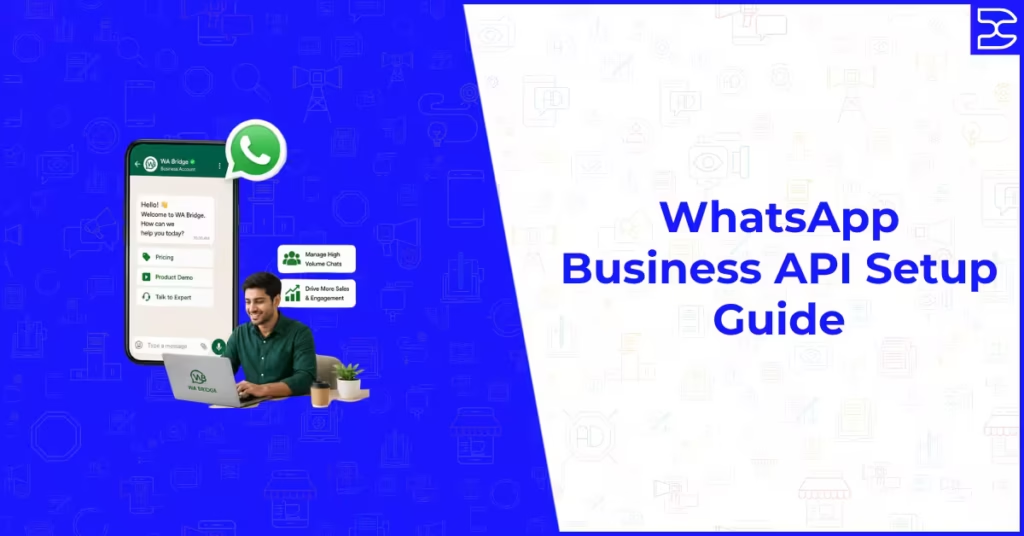
Table of Contents
ToggleWhatsApp Business API Setup Guide
The WhatsApp Business API is the infrastructure that separates businesses using WhatsApp seriously from those using it casually. It unlocks automation, CRM integration, multi-agent team inboxes, large-scale broadcast messaging, and detailed analytics that the standard WhatsApp Business app cannot offer. For any business that wants to use WhatsApp as a genuine commercial channel rather than an informal communication tool, the API is where the real capability lives.
Setting up the WhatsApp Business API is more involved than downloading an app, but the process is well-defined and increasingly accessible through approved third-party platforms that handle much of the technical complexity on your behalf. This guide explains exactly what the WhatsApp Business API is, who needs it, how it works, what the setup process involves, and what you need to have in place before you begin.
What Is the WhatsApp Business API
The WhatsApp Business API, officially called the WhatsApp Business Platform, is a set of programming interfaces provided by Meta that allows businesses to send and receive WhatsApp messages at scale through approved software systems. Unlike the free WhatsApp Business app, which is designed for small businesses managing a limited number of customer conversations manually, the API is built for organisations that need to automate conversations, manage high message volumes, and integrate WhatsApp messaging with their existing business systems.
The API itself is not a user interface. It is a technical connection between WhatsApp’s infrastructure and whatever platform or software you use to manage your business communications. Access is granted through Meta’s official approval process, and the API can be accessed either by building a direct technical integration using Meta’s developer documentation or, more commonly for most businesses, through a WhatsApp Business Solution Provider, which is an approved third-party platform that provides a ready-built interface on top of the API.
Understanding this distinction is important because it affects how you approach setup, what choices you need to make, and what ongoing costs and responsibilities you take on when running WhatsApp at scale.
The Difference Between WhatsApp, WhatsApp Business, and the WhatsApp Business API
Standard WhatsApp
The standard WhatsApp application is designed for personal use. It supports one-to-one and group messaging, voice and video calls, and media sharing between individuals. It cannot be used for commercial marketing or customer service at any meaningful scale, and using it for business purposes that involve bulk messaging violates WhatsApp’s terms of service.
WhatsApp Business App
The WhatsApp Business app is a free application designed for very small businesses. It includes basic features suited to informal business use, such as a business profile, automated away messages, quick replies, and a product catalogue. It is limited to a single user on a single device, cannot be integrated with CRM systems, does not support automation or chatbots, and restricts broadcast messaging to lists of 256 contacts at a time, only to users who have saved your number. It is suitable for sole traders and micro-businesses managing a small number of manual customer conversations but is not designed for marketing campaigns or high-volume customer service.
WhatsApp Business API
The WhatsApp Business API removes the limitations of the standard business app and adds the features that make WhatsApp commercially powerful at scale. It supports multiple users and agents working from a shared inbox, automation and chatbot flows, CRM and software integrations, large-scale compliant broadcast messaging to opted-in contact lists, pre-approved message templates, detailed message delivery and read tracking, and the ability to operate across multiple phone numbers. It is the infrastructure that serious WhatsApp marketing and customer service programmes are built on.
Who Needs the WhatsApp Business API
Not every business needs the WhatsApp Business API. For businesses with a small contact base, low message volumes, and no need for automation or team management, the WhatsApp Business app may be perfectly adequate. The API becomes necessary when your needs exceed what the free app can provide.
Businesses Sending Marketing Broadcasts at Scale
If you want to send promotional or transactional messages to more than a few hundred contacts, or if you need to send messages to contacts who have not saved your number, the API is required. The standard business app’s 256-contact broadcast list limitation and the requirement that recipients have saved your number make it unsuitable for any meaningful marketing programme. The API supports sending approved template messages to large opted-in contact lists with proper delivery tracking.
Businesses Needing Team Inbox Management
If more than one person in your business needs to manage WhatsApp conversations, the API is the only way to achieve this compliantly. The standard app is tied to a single device and a single user. The API, accessed through a Business Solution Provider platform, allows multiple agents to handle conversations from a shared inbox with message assignment, conversation history, and performance tracking.
Businesses Requiring CRM or System Integration
If you need WhatsApp conversation data to flow into your CRM, your e-commerce platform, your appointment booking system, or any other business software, the API is required. The standard app has no integration capability. The API can be connected to most major business platforms through native integrations provided by Solution Provider tools, enabling automated workflows triggered by customer behaviour across your existing systems.
Businesses Running Automated Customer Journeys
If you want to build chatbot flows, automated welcome sequences, triggered follow-ups, or any conversation that proceeds based on customer responses without a human agent managing each interaction in real time, the API is the infrastructure that makes this possible. Automation at this level is not available in the standard WhatsApp Business app and requires both API access and a platform that supports chatbot and flow building on top of it.
Understanding which platform gives you the best combination of API access and the specific features your business needs is the critical next decision after understanding the API itself. Our guide to the best WhatsApp marketing tools and platforms covers the leading Business Solution Providers and what each one is best suited for.
How to Access the WhatsApp Business API
There are two ways to access the WhatsApp Business API. The first is through the Meta for Developers programme, which involves building a direct technical integration using Meta’s API documentation. This approach gives maximum flexibility and control but requires developer resources and ongoing technical management. It is the right choice for large organisations with internal development capability and highly customised integration needs.
The second and more common approach for most businesses is through a WhatsApp Business Solution Provider. These are companies approved by Meta to provide access to the WhatsApp Business API through their own managed platforms. They handle the technical infrastructure, the API connection, and the interface, providing businesses with a ready-to-use environment that does not require any coding or API management knowledge to operate.
Choosing a Solution Provider is effectively the most important setup decision for most businesses, because it determines the features available to you, the user interface your team works in, the integrations that are possible, and the ongoing cost of running WhatsApp at scale.
The Setup Process Step by Step
Step One: Create or Confirm Your Meta Business Account
The WhatsApp Business API requires a verified Meta Business Account. If your business does not already have one, create it through Meta Business Suite using your business Facebook page as the foundation. Ensure that your business account is set up with accurate business information including your legal business name, your website, and your business contact details. Meta uses this information to verify your business identity as part of the API access process.
Step Two: Choose a Business Solution Provider
Select the platform through which you will access the API based on the features you need. Key considerations when evaluating providers include the quality of the broadcast campaign tools, the automation and chatbot building capability, CRM integrations that match your existing systems, multi-agent inbox management, pricing structure including platform subscription and per-message costs, quality of support, and whether the platform has experience serving businesses in your industry. Most providers offer a trial or demonstration that allows you to assess the interface before committing.
Step Three: Connect Your Business Phone Number
The WhatsApp Business API is tied to a specific phone number that will be your WhatsApp business number. This number cannot be simultaneously used on any other WhatsApp account including the standard Business app. If you want to use an existing business number, it must be fully migrated from WhatsApp before it can be connected to the API, which means any existing conversations on that number will be lost. Many businesses choose to use a new dedicated number for the API to avoid this disruption. The number must be capable of receiving SMS or voice calls for initial verification.
Step Four: Complete Business Verification
Meta requires businesses to complete a verification process before they can send outbound marketing messages through the API. Business verification involves confirming your business’s legal identity through documentation such as a business registration certificate, utility bill, or bank statement. The verification process is completed through Meta Business Manager and typically takes one to five business days once documentation has been submitted. Verified businesses receive a verified badge on their WhatsApp business profile and access to higher messaging limits.
Step Five: Configure Your Business Profile
Once your number is connected and your business is verified, set up your WhatsApp business profile within your chosen platform. This includes your business display name, which must match your legal business name or a well-known brand name associated with your business, your profile picture, your business description, your website URL, your business hours, and your business category. Your display name requires Meta approval and must comply with their naming guidelines, which prohibit generic descriptions and require that the name accurately represents the business.
Step Six: Create and Submit Message Templates
Before you can send proactive outbound messages through the API, you need pre-approved message templates. Templates are the pre-written messages you will use for broadcast campaigns, automated notifications, and any communication initiated outside an active customer service conversation. Each template must be submitted to Meta for review and can only be used once approved. Templates must comply with Meta’s content policies, be correctly categorised as utility, authentication, or marketing, and for marketing templates must include an opt-out mechanism.
Writing templates that consistently pass Meta’s review process is a skill in itself. The specific rules, common rejection reasons, and examples of approved templates across different use cases are covered in our guide to WhatsApp message templates that get approved.
Step Seven: Build Your Opted-In Contact List
The API allows you to send messages to contacts who have explicitly opted in to receive WhatsApp communications from your business. You cannot import contacts from your general CRM or phone contacts without confirming that each one has specifically given WhatsApp opt-in consent. Build your contact list through proper opt-in mechanisms such as website forms, checkout flows, or other touchpoints where customers actively agree to receive WhatsApp messages from you. Import these consented contacts into your Solution Provider platform, ensuring that the opt-in record is documented and retained.
The legal requirements around consent, data storage, and opt-out obligations that govern WhatsApp contact management in the UK and EU are covered in full in our guide to WhatsApp marketing legality and GDPR compliance, which every business using the API should understand before sending their first campaign.
What Happens After Setup
Once your API access is live, your business profile is configured, your templates are approved, and your contact list is built, you are ready to send your first campaign or activate your first automation workflow. The early weeks of using the API are typically a learning period where you establish your messaging rhythm, refine your template content based on engagement data, build out your automation flows, and identify which types of communication produce the strongest response from your audience.
Account quality rating is an ongoing factor to monitor. Meta assigns quality ratings to WhatsApp Business API accounts based on the proportion of messages that are read, the opt-out rate from your campaigns, and the volume of complaints generated by your messages. High opt-out rates or low read rates signal to Meta that your messages are not welcome, which can result in messaging limit reductions or account restrictions. Sending only relevant, valuable messages to properly consented contacts is both a compliance requirement and the most reliable way to maintain a strong quality rating.
Building the right message strategy to accompany your API setup, including when to use broadcast lists versus conversation flows and how to structure different types of WhatsApp communication, is covered in our guide to WhatsApp broadcast lists versus groups, which explains the mechanics of each approach and when to use which for different communication goals.
Final Thoughts
The WhatsApp Business API represents a significant step up in capability from the standard WhatsApp Business app, and for businesses that are ready for it, that capability translates directly into commercial results. Automation that converts enquiries without manual intervention, broadcast campaigns that reach opted-in contacts with near-certain read rates, and team inboxes that allow multiple agents to deliver consistent customer service are all real advantages that the API makes possible.
The setup process is well-defined and increasingly accessible through quality Solution Provider platforms that handle the technical complexity on your behalf. Getting it right from the start, with proper business verification, compliant contact lists, well-written approved templates, and a clear message strategy, sets the foundation for a WhatsApp programme that compounds in effectiveness over time.
If you want guidance on selecting the right platform, building your contact acquisition strategy, or integrating WhatsApp into your broader digital marketing approach, explore how our digital marketing and campaign services can help you launch and scale WhatsApp as a genuine revenue-driving channel for your business.
Frequently Asked Questions (FAQs)
The WhatsApp Business API is enterprise-grade infrastructure that allows businesses to send and receive WhatsApp messages at scale through approved third-party platforms. Unlike the free WhatsApp Business app, it supports multiple agents in a shared inbox, automation and chatbot flows, CRM integrations, large-scale broadcast messaging to opted-in contact lists, and detailed analytics. The API requires access through Meta's approval process and typically involves ongoing costs, while the app is free and designed for small businesses managing low message volumes manually.
Not if you access the API through a Business Solution Provider, which is the most common approach for most businesses. Solution Providers handle the technical API connection and provide a ready-built user interface that requires no coding knowledge to operate. If you choose to build a direct API integration using Meta's developer documentation, technical development resources are required. For most businesses, choosing a reputable Solution Provider is the most practical and cost-effective path to API access.
The timeline varies depending on the completeness of your Meta Business Account, how quickly your business verification is processed, and how long your message templates take to receive approval. In straightforward cases, businesses can complete the full setup process and send their first messages within one to two weeks. Business verification typically takes one to five business days once documentation is submitted. Template approval typically takes a few hours to 24 hours. Choosing a Solution Provider and configuring your account can be completed in a day once you have made your platform decision.
Costs have two components. The first is the platform subscription fee charged by your chosen Business Solution Provider, which varies by platform and the feature tier you select. The second is per-conversation fees charged by Meta, which are billed based on the category of conversation and the country of the recipient. Meta uses a conversation-based pricing model where multiple messages within a 24-hour window are charged as a single conversation. Marketing conversations carry a higher per-conversation rate than utility and authentication conversations. Total costs depend on your message volume, recipient geography, and platform choice.
Yes, but migrating an existing number to the API means it will no longer be usable on any other WhatsApp account. Any existing WhatsApp conversations on that number will be lost during migration. Many businesses choose to use a new dedicated number for the API to avoid disrupting existing WhatsApp communications. The number must be capable of receiving SMS or voice verification codes and must not be currently active on WhatsApp before migration begins.
The WhatsApp Business API is most cost-effective for businesses with sufficient message volumes and use cases that genuinely require its capabilities, such as automation, team inbox management, or large-scale broadcast campaigns. For very small businesses with low message volumes and simple communication needs, the free WhatsApp Business app may be adequate and considerably more cost-effective. The decision should be based on whether your business has specific needs that the app cannot meet rather than on aspiration alone.
Our Related Posts