WhatsApp Chatbot Setup and Implementation
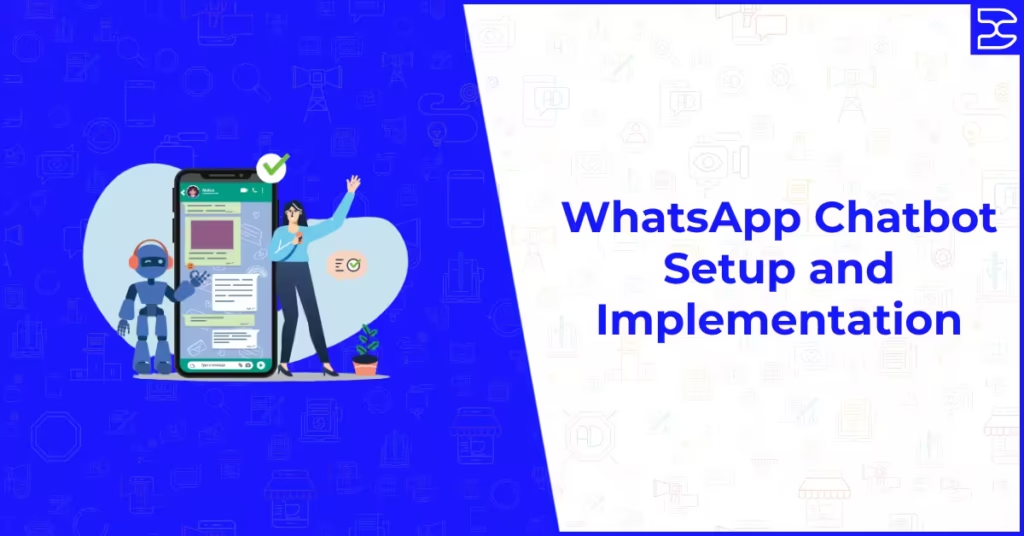
Table of Contents
ToggleWhatsApp Chatbot Setup and Implementation
A WhatsApp chatbot is one of the most practical ways a business can scale its customer communication without proportionally scaling its team. It answers questions, qualifies leads, confirms bookings, delivers information, and routes conversations to the right person, all without requiring a human agent to be available for every interaction. For businesses that receive a high volume of incoming messages, or that want to initiate structured conversations with customers at scale, a well-built chatbot is not a nice-to-have. It is infrastructure.
The challenge most businesses face is not deciding whether to build one but understanding how to do it correctly. WhatsApp chatbots require access to the WhatsApp Business API, a platform that supports chatbot functionality, a clearly designed conversation flow, and an integration strategy that connects the chatbot to the rest of your business systems. Done properly, a WhatsApp chatbot becomes one of the most efficient customer-facing tools you operate. Done poorly, it frustrates users and damages the trust that WhatsApp as a channel depends on.
This guide covers everything you need to understand about WhatsApp chatbot setup and implementation: how they work, what you need before you start, how to design flows that actually serve users, how to build and test your chatbot, and how to measure and improve its performance over time.
How WhatsApp Chatbots Work
A WhatsApp chatbot is an automated conversation system that operates through the WhatsApp Business API. When a user sends a message to your business WhatsApp number, the chatbot receives that message, interprets it based on the logic it has been programmed with, and sends an appropriate response. This response can be a text message, a list of options for the user to choose from, a media file, a link, or a handoff prompt that routes the conversation to a human agent.
WhatsApp chatbots are not artificial intelligence in the advanced sense, although AI-enhanced natural language processing can be layered on top of the basic framework for more sophisticated implementations. Most business chatbots operate on rule-based logic, meaning they follow predetermined paths based on the keywords or options a user selects. A user who types “pricing” is routed to pricing information. A user who selects “book appointment” from a menu is taken through a booking flow. A user whose query does not match any recognised pattern is escalated to a human agent.
This rule-based approach is reliable, predictable, and easier to build and maintain than AI-dependent systems. For most business use cases, covering the most common enquiry types through well-designed rules produces a user experience that is fast, helpful, and effective without requiring complex AI development.
What You Need Before Building a WhatsApp Chatbot
WhatsApp Business API Access
A WhatsApp chatbot cannot be built on the standard WhatsApp or WhatsApp Business app. It requires access to the WhatsApp Business API, which provides the technical infrastructure through which automated messages and conversation flows operate. API access is obtained through Meta’s business verification process or through a WhatsApp Business Solution Provider, which is an approved third-party platform that manages the API connection on your behalf. For most businesses, working through a Solution Provider is the most practical and fastest route to a functional chatbot.
The full process for setting up API access, including the steps for business verification and choosing the right platform, is covered in our guide to the WhatsApp Business API setup process.
A Platform That Supports Chatbot Building
The WhatsApp Business API itself is a technical connection, not a user interface. To build a chatbot, you need a platform that provides a visual or code-based chatbot builder on top of the API. Most WhatsApp Business Solution Providers include chatbot building functionality within their platforms. These tools typically allow you to design conversation flows visually by connecting nodes that represent messages, user inputs, conditions, and actions, without requiring programming knowledge. More technically sophisticated implementations can use direct API integration with custom code for maximum flexibility.
A Verified Business Phone Number
Your chatbot operates from a dedicated business WhatsApp number that has been connected to the API and verified through Meta’s process. This number cannot simultaneously be used on the standard WhatsApp Business app. The number forms the identity of your chatbot within WhatsApp and appears to users as the business they are messaging. Choose a number you intend to use long-term, as changing the number after your chatbot is live requires migration work and may disrupt users who have saved your contact.
Approved Message Templates
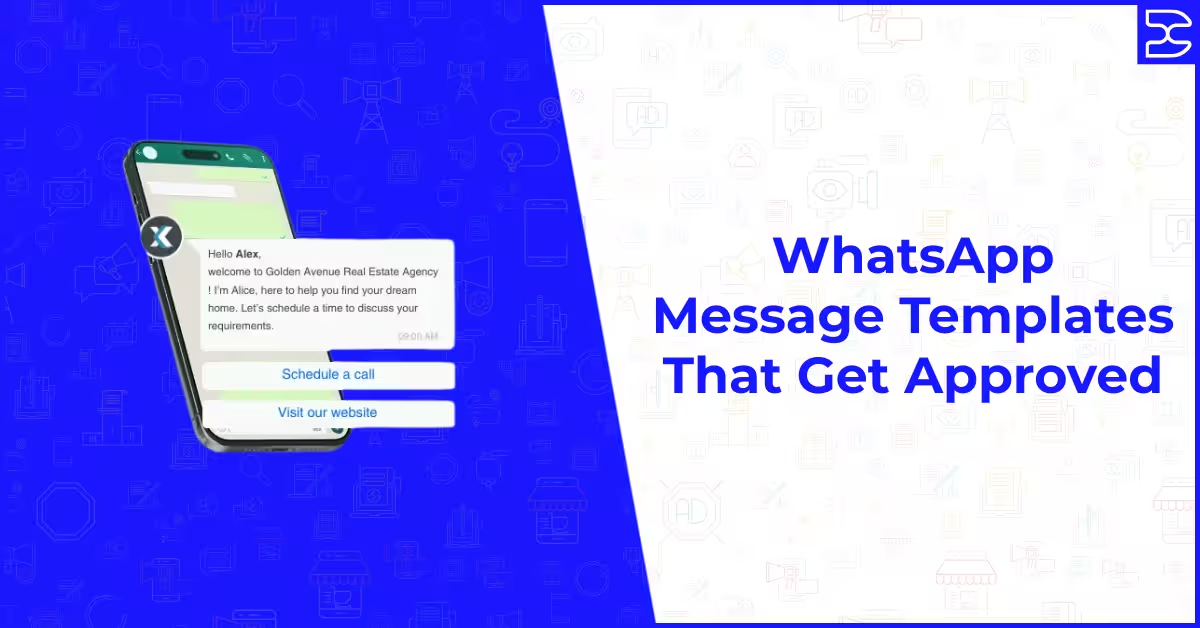
If your chatbot needs to initiate conversations with users rather than only responding to inbound messages, it requires pre-approved message templates. Templates are the only format permitted for outbound messages outside of an active 24-hour conversation window. Inbound conversation responses, meaning replies to messages that users have sent you, can use free-form text without template approval. Most chatbot implementations use a combination of approved templates for initiation and free-form responses for the conversation that follows.
Writing templates that pass Meta’s approval process first time is a specific skill. The rules, common rejection reasons, and examples of approved templates are covered in our guide to WhatsApp message templates that get approved.
Designing Your Chatbot Conversation Flows
The quality of your chatbot is determined almost entirely by the quality of its conversation design. A technically flawless chatbot built on a poorly designed flow will frustrate users and fail to achieve its purpose. Good conversation design starts with a deep understanding of why users are messaging you and what they need the conversation to accomplish for them.
Start With Your Most Common Enquiry Types
Before designing any flows, audit your existing customer communications to identify the enquiry types that make up the majority of your inbound messages. For most businesses, five to ten question types account for the large majority of all customer enquiries. These are your priority flows. Designing clear, helpful, and efficient paths through these common scenarios ensures that the chatbot delivers real value for the majority of users who interact with it, while edge cases and unusual enquiries are escalated to human agents.
Map Each Flow From the User’s Perspective
Design each conversation flow by working through it as the user would experience it, not as the business would prefer to receive information. Start from the message or intent that initiates the flow and map every possible path through to a satisfying resolution for the user. At each decision point, ensure the options presented are clear, mutually exclusive, and genuinely cover the range of things a user might want to do next. Flows that require users to interpret ambiguous options or that reach dead ends without a resolution path create frustration that damages trust in your business.
Keep Messages Concise and Conversational
WhatsApp is a messaging app. Users expect messages to feel like messages, not like web pages or email newsletters. Each chatbot message should contain one clear idea or one clear question. Long blocks of text that cram multiple pieces of information into a single message are harder to read on mobile, harder to respond to, and feel out of place in a messaging context. Break information across multiple shorter messages where necessary and use the list and button features available through the API to present options clearly rather than embedding them in paragraphs of text.
Build in Human Escalation at Every Stage
Every flow in your chatbot should have a clear and easily accessible path to a human agent. Some users will always prefer speaking to a person, and some situations will always require human judgement regardless of how well-designed your automated flows are. Making human escalation easy and prominent rather than hidden behind multiple layers of automation signals to users that there is a real business behind the chatbot and that they are not trapped in an automated loop with no exit. The transition from bot to human should be smooth, with the agent receiving the full conversation context so the user does not have to repeat information they have already provided.
Building and Testing Your Chatbot
Build Incrementally, Not All at Once
Attempting to build all of your planned flows simultaneously before launching is a common mistake that delays delivery and makes testing more complex. A better approach is to build and launch one or two of your most important flows first, gather real user data on how they perform, refine them based on that data, and then build additional flows progressively. This incremental approach means your chatbot is generating value and real-world feedback from early in the process rather than remaining in development until an imagined complete state is reached.
Test With Real Message Variations
Users do not type in the precise format you expect when designing flows. They abbreviate, they misspell, they phrase things differently than anticipated, and they sometimes enter the middle of a flow with a specific question rather than starting from the beginning. Before launching, test your chatbot with a diverse set of message variations for each flow, including unexpected inputs and edge cases. Identify where the chatbot fails to recognise intent and either add those variations to your recognition logic or improve the fallback responses that handle unrecognised inputs.
Test the Human Handoff Process
The handoff from chatbot to human agent is one of the most critical moments in a chatbot interaction and one of the most frequently undertested. Ensure that the escalation process is fast, that the agent receives all relevant conversation context, that the user receives a clear acknowledgement of the handoff and a realistic timeframe for a human response, and that the conversation quality is maintained through the transition. A smooth handoff reinforces user confidence. A jarring or unclear one undermines the trust that the chatbot interaction worked to build.
Integrating Your Chatbot With Business Systems
A WhatsApp chatbot that operates in isolation from your other business systems creates additional manual work rather than reducing it. The data collected through chatbot conversations, including lead qualification information, appointment bookings, product enquiries, and customer contact details, is only useful if it flows automatically into the systems where your team manages that information.
CRM Integration
Connecting your WhatsApp chatbot to your CRM ensures that leads captured through chatbot conversations are automatically created as contacts or leads in your system, with the relevant qualification data attached. This eliminates the manual step of transferring lead information from WhatsApp to your CRM and ensures that the sales team can follow up promptly with the full context of what the prospect has shared. Most WhatsApp Business Solution Provider platforms offer native integrations with major CRM systems including HubSpot, Salesforce, Pipedrive, and Zoho.
Calendar and Booking System Integration
For businesses that take appointments, a chatbot that connects to a live calendar and allows users to book directly within the WhatsApp conversation removes one of the most common friction points in the enquiry-to-appointment journey. Users can check available slots, select a time, and receive a confirmation without leaving WhatsApp and without requiring a human agent to manage the booking manually. This integration typically reduces no-show rates as well, as confirmation and reminder messages can be sent automatically through the same chatbot infrastructure.
Analytics and Reporting
Ensure your chatbot platform provides visibility into key performance metrics including the number of conversations initiated, completion rates for each flow, drop-off points within flows, escalation rates to human agents, and conversion rates from chatbot interaction to defined business outcomes such as booked appointments or completed purchases. These metrics are essential for identifying where flows are working well and where they need refinement.
Understanding what good performance looks like across WhatsApp marketing channels, including message open rates, response rates, and engagement benchmarks, is covered in our guide to WhatsApp marketing statistics and benchmarks, which gives the context for evaluating your chatbot’s performance against realistic industry standards.
Common WhatsApp Chatbot Mistakes to Avoid
Over-Automating Complex Conversations
Not every conversation type is suited to automation. High-stakes sales conversations, complex service enquiries that require detailed assessment, and situations involving customer complaints or sensitive issues all benefit from human involvement. Attempting to automate these conversation types produces a poor user experience and can cause significant damage to customer relationships. The most effective chatbot implementations are those that clearly identify which conversations to automate and which to escalate, rather than attempting to handle everything without human involvement.
Failing to Update Flows When Business Changes
A chatbot that provides outdated pricing, references discontinued services, or routes users to processes that have changed since the flow was built creates a poor experience and undermines trust. WhatsApp chatbot flows require the same maintenance discipline as any other customer-facing content. When your services, pricing, team structure, or processes change, the relevant chatbot flows must be updated to reflect those changes before they affect users.
Ignoring User Feedback Signals
Drop-off rates within specific flows, high escalation rates from certain entry points, and negative feedback from users who interact with the chatbot are all signals that something is not working. Businesses that treat their chatbot as a set-and-forget system miss the continuous improvement opportunity that real user data provides. Schedule regular reviews of chatbot performance data and treat the findings as a prioritised list of improvements rather than background noise.
Final Thoughts
A well-built WhatsApp chatbot is a durable business asset that improves in value as it accumulates real user interactions and is refined based on that data. The key to getting it right is investing time in the conversation design before the technical build, testing thoroughly with realistic user behaviour before going live, and treating post-launch performance data as a continuous improvement guide rather than a one-time validation.
The businesses that get the most from their WhatsApp chatbots are those that use them to handle what automation genuinely does well, fast responses to common enquiries, structured lead qualification, and seamless booking, while keeping human agents available for the conversations that genuinely benefit from human judgement. That balance, thoughtfully maintained, produces a customer experience that is both efficient and genuinely helpful.
If you want support designing and implementing a WhatsApp chatbot as part of a broader WhatsApp marketing and automation strategy, explore how our digital marketing and campaign services can help your business build the conversational infrastructure that modern customer acquisition requires.
Frequently Asked Questions (FAQs)
A WhatsApp chatbot is an automated conversation system built on the WhatsApp Business API that responds to incoming messages and guides users through structured conversation flows without requiring a human agent for every interaction. It operates using rule-based logic that routes users based on the keywords they use or the options they select, providing instant responses to common enquiries, qualifying leads, confirming bookings, and escalating complex conversations to human agents.
Yes. WhatsApp chatbots cannot be built on the standard WhatsApp or WhatsApp Business app. The WhatsApp Business API is required to enable automated messaging, conversation flows, and the integrations that make a chatbot commercially useful. API access is obtained through Meta's business verification process, typically through a WhatsApp Business Solution Provider that manages the technical infrastructure and provides a chatbot building interface on top of it.
Yes, through most WhatsApp Business Solution Provider platforms. These platforms provide visual flow builders that allow you to design conversation paths by connecting message nodes, condition branches, and action steps without writing any code. The level of technical complexity varies by platform, with some offering very simple drag-and-drop builders and others providing more sophisticated tools for users comfortable with more detailed configuration. For highly customised implementations, coding may be required, but most standard business use cases can be built without it.
The timeline depends on the complexity of the flows you are building and the speed of your WhatsApp Business API access and business verification. For a basic chatbot covering two or three common enquiry types on an existing API connection, the flow design and build process can be completed in one to two weeks. A more comprehensive implementation covering multiple flows, CRM integration, and calendar booking typically takes three to six weeks including testing and refinement. Business verification, if not already completed, adds additional time before the chatbot can go live.
Key performance indicators for a WhatsApp chatbot include conversation completion rate, which measures what proportion of users who start a flow complete it; escalation rate, which measures how often users are handed off to a human agent; drop-off rate by flow stage, which identifies where users abandon specific conversations; conversion rate from chatbot interaction to a defined business outcome such as a booking or enquiry; and user satisfaction signals from any post-conversation feedback you collect. Declining completion rates or high drop-off at specific points are indicators that specific flows need redesign.
WhatsApp chatbots deliver the most clear-cut value for businesses that receive a high volume of repetitive enquiries, that rely on appointment booking as a key customer interaction, or that need to qualify a large number of leads before human follow-up. Service businesses, healthcare providers, e-commerce businesses, financial services firms, and educational institutions are among the sectors where WhatsApp chatbots have demonstrated strong commercial performance. Businesses with low inbound message volumes or highly bespoke customer conversations that require individual human attention from the first interaction may find the investment less justified at their current scale.
Our Related Posts