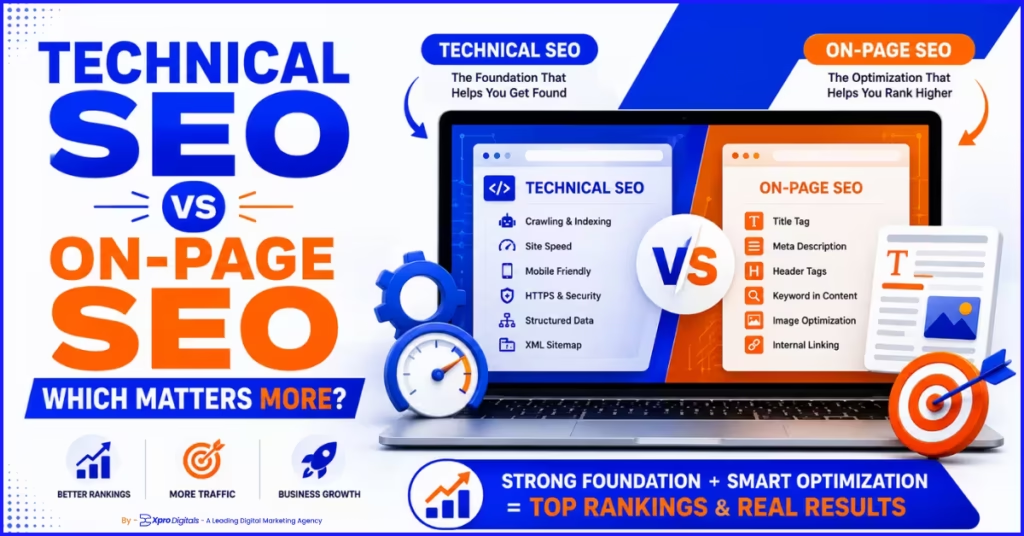
Technical SEO vs On-Page SEO: Which Matters More in 2026?
Introduction: The Debate That Is Costing Businesses Rankings
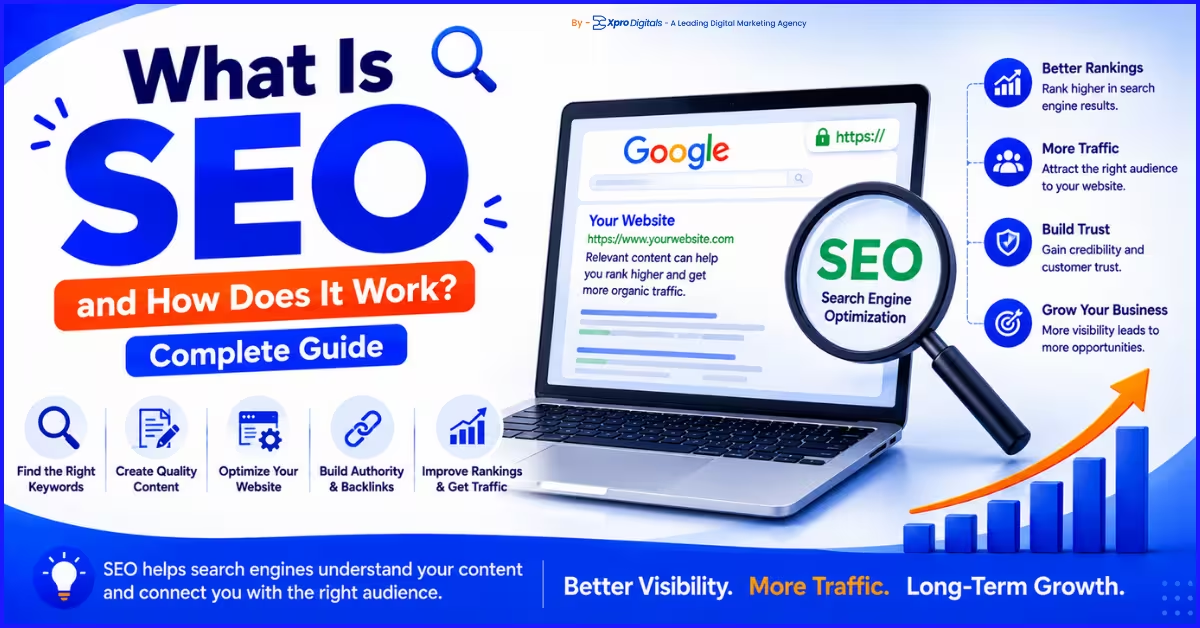
Here is a situation that plays out constantly. A business invests in great content. They research their keywords. They publish regularly. Rankings barely move. A second business runs a technical audit, fixes a handful of crawl issues, and sees organic traffic climb 40% in eight weeks without touching a single piece of content. The painful reality is that both scenarios are real. And both leave businesses confused about where to focus their SEO budget. The debate between technical SEO and on-page SEO has been ongoing for years. But in 2026, that debate has a clearer answer than ever before. The problem is not choosing one over the other. The problem is not knowing which one is currently holding your site back. Investing in on-page content when your pages are not being indexed is wasted effort. Chasing technical perfection when your content does not match search intent produces the same result. By the end of this guide, you will understand exactly what each discipline covers, where they overlap, how Google uses signals from both, and most importantly, which one your site needs to prioritize right now. You will also have a step-by-step diagnostic process to answer that question for any website. This article builds on the foundational context in our guide on what SEO is and how it works, which explains the full SEO landscape before you specialize into either discipline.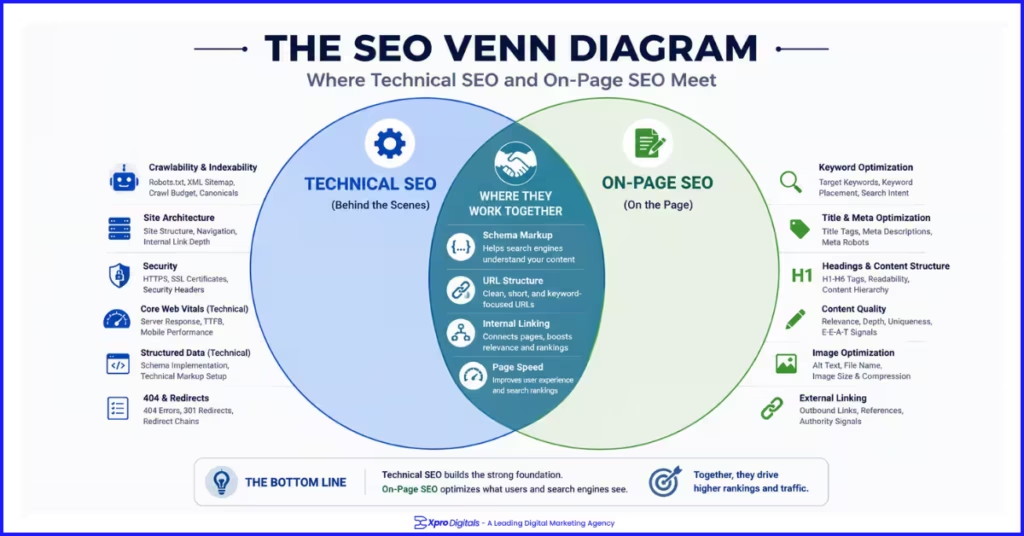 What Is Technical SEO? A Plain-English Definition
| Technical SEO is every optimization that affects how search engines crawl, render, and index your website’s infrastructure. It has nothing to do with the words on your page. It is about whether Google can get to your pages at all, how fast they load, and whether the signals your site sends about itself are clear and consistent. |
What Technical SEO Covers
| Technical SEO Area | What It Controls | Primary Tool to Audit |
| Crawlability | Whether Googlebot can access your pages | Google Search Console, Screaming Frog |
| Indexation | Whether pages are added to Google’s index | GSC Coverage Report |
| Core Web Vitals | Load speed, interactivity, visual stability | PageSpeed Insights, Search Console |
| Mobile-first indexing | Mobile version evaluated for rankings | Mobile-Friendly Test, GSC |
| HTTPS and security | Secure connection across all pages | SSL checker, browser audit |
| Structured data | Machine-readable context about page content | Rich Results Test, Schema.org validator |
| Site architecture | Crawl efficiency and authority flow | Screaming Frog, log file analysis |
| Crawl budget | Which pages Google crawls and how often | Log files, GSC crawl stats |
| Canonical tags | Which URL version Google should index | Screaming Frog, GSC URL Inspection |
| XML sitemap | Map of indexable URLs for Google to follow | GSC Sitemaps report |
What Is On-Page SEO? A Plain-English Definition
| On-page SEO is every optimization you make within an individual page to communicate to Google what it is about and why it is the best result for a specific query. Where technical SEO asks whether Google can access your content, on-page SEO asks whether Google understands it and rates it as the most relevant answer. |
What On-Page SEO Covers
| On-Page SEO Element | What It Controls | Primary Impact |
| Title tag | Primary keyword signal, search result headline | Rankings and click-through rate |
| Meta description | Search result snippet text | Click-through rate |
| H1, H2, H3 structure | Content hierarchy and topical signals | Rankings and content clarity |
| Content quality and depth | Topical completeness and E-E-A-T | Rankings and engagement |
| Search intent alignment | Format matching what searchers want | Rankings and bounce rate |
| Keyword placement | Relevance signals throughout the page | Rankings |
| Image alt text and file names | Image search visibility and accessibility | Rankings and image traffic |
| Internal links | Authority flow and topical relationships | Rankings of linked pages |
| Schema markup | Rich result eligibility | Click-through rate |
| URL structure | Keyword relevance in URL slug | Rankings (minor) and usability |
Technical SEO vs On-Page SEO: The Direct Comparison
| Factor | Technical SEO | On-Page SEO |
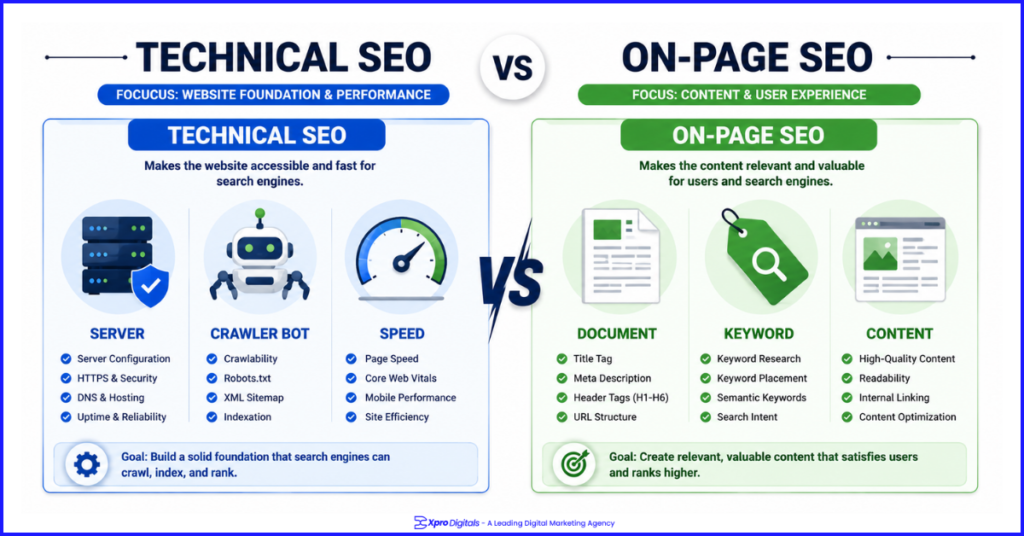
| Primary focus | Site infrastructure and crawlability | Content and keyword relevance |
| Visible to visitors? | No, operates beneath the surface | Yes, directly visible to readers |
| Who implements it | Developers or technical SEO specialists | Content writers and SEO strategists |
| When it matters most | Before content strategy begins | During and after content creation |
| Effect on rankings | Prerequisite for any ranking at all | Determines which queries you rank for |
| Tools required | Screaming Frog, PageSpeed Insights, GSC | Ahrefs, Surfer SEO, Yoast, GSC |
| Scales with site size? | Critical at scale, especially for ecommerce | Required on every individual page |
| Impact timeline after fix | Days to weeks once recrawled | Weeks to months after publishing |
| Core skill required | Technical development knowledge | Content strategy and keyword research |
| Penalty risk if done wrong | Crawl blocks, deindexation, speed penalties | Quality penalties, content thin flags |
Where Technical SEO and On-Page SEO Overlap
Several SEO elements live in both disciplines simultaneously. These overlapping areas are where confusion is most common and where gaps between technical and content teams most often appear.Schema Markup
Schema markup requires technical implementation in page code, making it a developer task. But the information it describes, such as product details, review ratings, author credentials, and FAQ content, is entirely dependent on what is visible on the page. Both teams need to be aligned for schema to be accurate, complete, and error-free. For ecommerce stores, combining Product, Offer, AggregateRating, and BreadcrumbList schema is one of the highest-impact improvements available. Our ecommerce schema markup implementation guide covers the technical implementation alongside the on-page content requirements for each schema type.URL Structure
URL structure is an architectural technical decision but serves an on-page SEO function by including the primary keyword in the URL slug. Changing URL structure requires technical redirect management. The keyword choice within the URL is driven by on-page content strategy. Both disciplines share ownership here.Internal Linking
Internal linking is an on-page SEO activity when you add contextual links within page content. It becomes a technical concern at site-wide level when assessing crawl paths, orphaned pages, and link equity distribution. Effective internal linking requires both a content strategy that connects related topics and a technical understanding of how authority flows through the site structure. Our guide on internal linking for ecommerce SEO covers the strategic and technical dimensions of building a link structure that distributes authority effectively.Core Web Vitals and Images
Page speed is a technical SEO concern. But the decision to use large unoptimized images, embed multiple third-party scripts, or add a live chat widget are often content or marketing decisions that technical SEO has to manage the consequences of. Image alt text is on-page. Image compression and format is technical. Both teams share the image optimization responsibility.Which Matters More: The Honest Answer
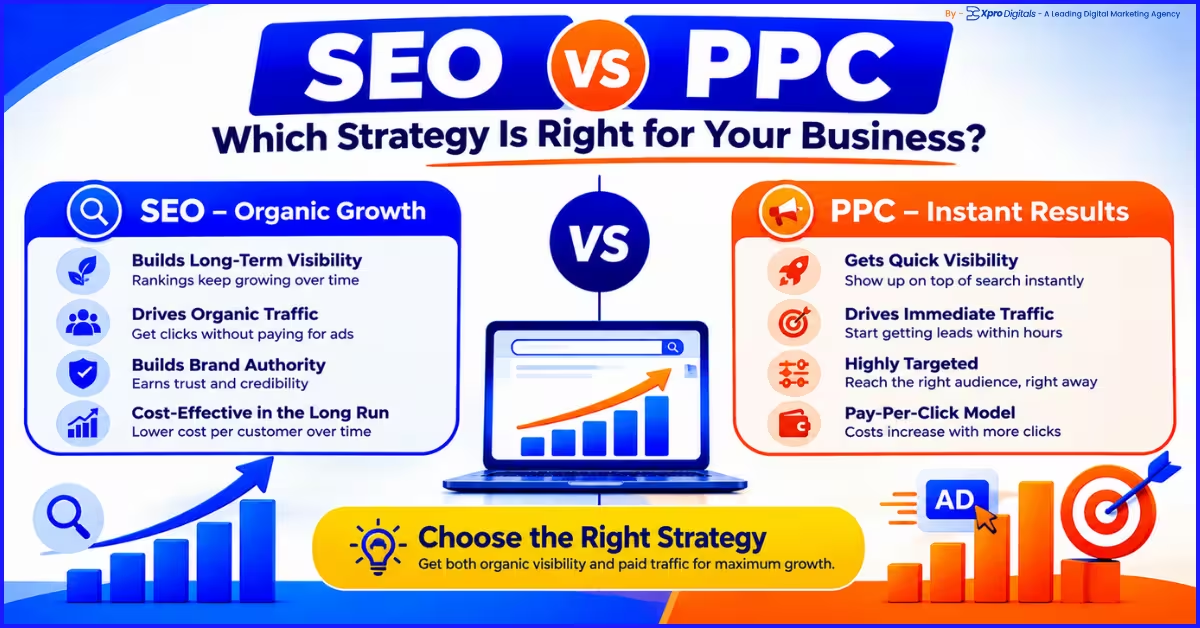
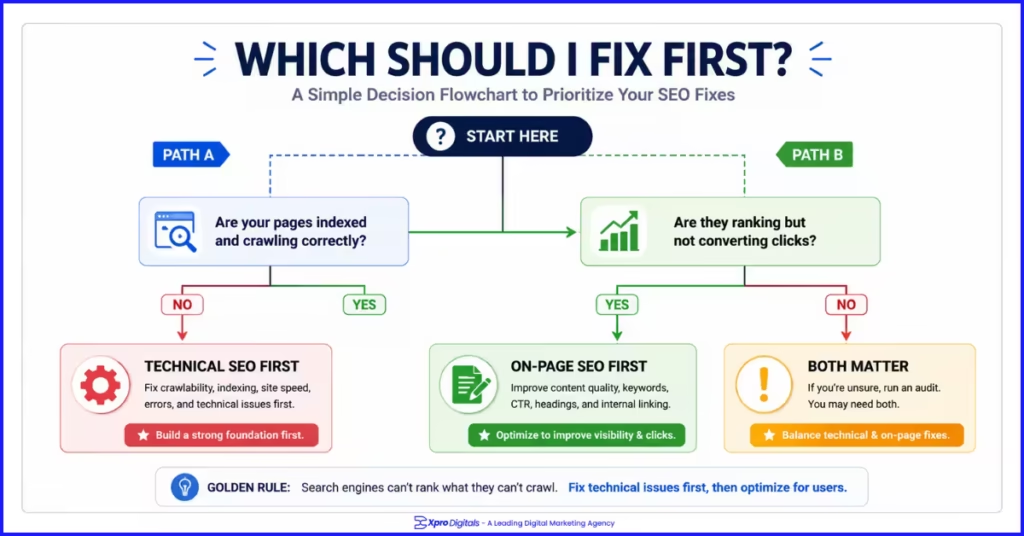
The honest answer is sequential rather than absolute. Technical SEO is the prerequisite. On-page SEO is the differentiator. You cannot benefit from on-page SEO until technical SEO is in adequate shape. Once it is, on-page SEO is what determines your actual ranking positions. The correct priority depends entirely on the current state of your specific website. There is no universal answer that applies to every business at every stage.When Technical SEO Should Be Your First Priority
Prioritize technical SEO when your pages are not appearing in Google despite being published:- When organic traffic has dropped sharply without changes to your content
- When you have recently migrated to a new domain or URL structure
- When your site has thousands of pages and you suspect crawl budget is being wasted
- When your Core Web Vitals are consistently failing on your most important pages.
When On-Page SEO Should Be Your First Priority
Prioritize on-page SEO:- When your pages are indexed and crawlable but ranking on page two or three
- When your content is thin or does not fully cover the topics your target keywords require
- When you have been publishing without a clear keyword or intent strategy
- When your title tags are generic or missing
- When competitors are consistently outranking you despite similar domain authority.
The Practical Answer for Most Websites
For most websites at any stage of development, the right approach is sequential. Audit technical SEO first to identify and fix any barriers preventing effective crawling and indexing. Once the foundation is confirmed, invest in on-page SEO to maximise the ranking potential of every page. Then treat both as ongoing maintenance, not completed projects.Step-by-Step: How to Diagnose Which Your Site Needs First
Step 1: Check Google Search Console Coverage Report
Open Search Console and go to the Coverage or Indexing report. How many pages are indexed versus excluded? If a significant portion of your published pages show as excluded, the issue is technical. Common exclusion reasons include no-index tags, crawl anomalies, duplicate content without canonical tags, and soft 404 errors.Step 2: Run a Full Site Crawl
Use Screaming Frog, Sitebulb, or a similar tool to crawl your entire site. Export the results and filter for: crawl errors, no-index pages, missing title tags, duplicate title tags, missing H1 tags, pages with no inbound internal links, and redirect chains. A long list in any of these categories signals a technical problem worth fixing before content investment.Step 3: Test Core Web Vitals on Mobile
Run your five highest-traffic pages through Google PageSpeed Insights on the mobile tab specifically. Note LCP, INP, and CLS scores. If multiple key pages are failing, Core Web Vitals is a technical priority. If they are all passing, move to on-page diagnosis.Step 4: Compare Rankings to Search Intent
Search each of your target keywords in incognito mode. Look at the top five results. Now look at your page. Does your content format match what the top results are doing? Do you cover every subtopic they cover? If the answer is no, on-page SEO is the gap.Step 5: Check Title Tags and Click-Through Rates
In Search Console’s Performance report, filter by pages and look at CTR for your top pages by impression count. Pages with high impressions but CTR under 2% often have weak title tags or meta descriptions. This is an on-page fix with rapid impact.Step 6: Prioritise by Business Impact
Not all pages are equally important. Apply your fixes to the pages with the highest revenue potential first. A technical fix on your top category page or a title tag improvement on your highest-impression product page will deliver more measurable return than the same fix applied to a low-traffic blog post.Technical SEO Checklist: 20 Priority Checks
| Check | Tool | Priority | Done? |
| All key pages indexed in GSC | Search Console Coverage | Critical | |
| No accidental no-index tags | Screaming Frog, GSC | Critical | |
| Robots.txt not blocking key pages | Robots.txt tester in GSC | Critical | |
| XML sitemap submitted and error-free | GSC Sitemaps report | High | |
| HTTPS across all pages, no mixed content | Browser + SSL checker | High | |
| LCP passes on mobile (under 2.5s) | PageSpeed Insights | High | |
| INP passes on mobile (under 200ms) | PageSpeed Insights | High | |
| CLS passes on mobile (under 0.1) | PageSpeed Insights | High | |
| No crawl errors in GSC Coverage | Search Console | High | |
| Canonical tags correctly implemented | Screaming Frog, GSC | High | |
| No duplicate content without canonicals | Siteliner, Screaming Frog | Medium | |
| Mobile-friendly across key pages | Mobile-Friendly Test | High | |
| No broken internal links | Screaming Frog, Ahrefs | Medium | |
| No orphaned pages without internal links | Screaming Frog crawl | Medium | |
| Schema errors fixed in GSC | Rich Results Test | Medium | |
| Faceted navigation URLs controlled | Crawl + robots.txt audit | Medium (ecommerce) | |
| 301 redirects correct, no chains | Screaming Frog redirect audit | Medium | |
| Hreflang correct for international pages | Hreflang validator | Medium (international) | |
| Site architecture max 3-4 clicks deep | Crawl depth report | Medium | |
| Page load under 3 seconds on mobile 4G | PageSpeed Insights (mobile) | High |
On-Page SEO Checklist: 20 Priority Checks
| Check | What to Verify | Priority | Done? |
| Title tag includes primary keyword | Keyword in first 60 characters | Critical | |
| Title tag is unique across the site | No duplicate titles in GSC | High | |
| Meta description under 155 chars with CTA | Includes keyword, action-oriented | High | |
| Single H1 on the page | Includes primary keyword | Critical | |
| H2 and H3 structure is logical | No skipped heading levels | High | |
| Primary keyword in first 100 words | Natural placement in opening paragraph | High | |
| Content fully covers the topic | Matches depth of top-ranking competitors | Critical | |
| Content matches search intent | Format fits informational or transactional query | Critical | |
| Semantic keywords used naturally | Related terms distributed throughout | High | |
| URL is short, keyword-relevant | No parameters or stop words | Medium | |
| All images have descriptive alt text | Includes relevant keywords naturally | High | |
| Image file names are descriptive | No auto-generated IMG_ names | Medium | |
| Images in WebP, compressed under 150KB | Checked via PageSpeed Insights | High | |
| Internal links to 2-4 related pages | Descriptive anchor text used | High | |
| At least 2 pages link to this page | GSC Links report | High | |
| Correct schema type applied | Relevant type, error-free in Rich Results Test | High | |
| E-E-A-T signals present | Author bio, original data, citations | High | |
| Content is original, not duplicate | No copied manufacturer or template text | Critical | |
| Core Web Vitals pass on mobile | LCP, INP, CLS within thresholds | High | |
| Meta description is unique per page | No duplicate descriptions in GSC | Medium |
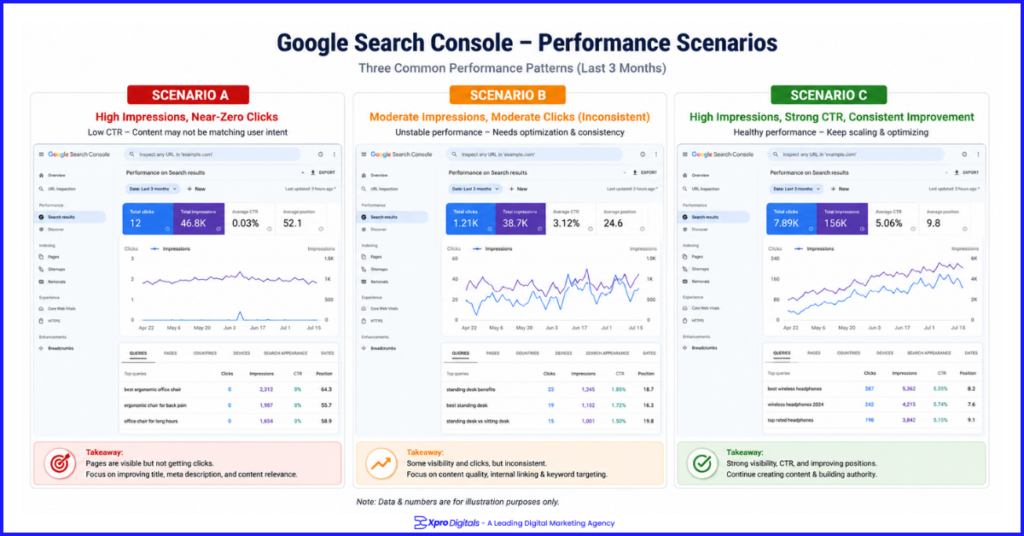
Visual Example: The Same Site With and Without Each Type of SEO
Scenario A: Strong Technical SEO, Weak On-Page SEO
The site loads in 0.9 seconds on mobile, passes all Core Web Vitals, has zero crawl errors, correct canonical tags, and a fully submitted sitemap. But the homepage title tag reads ‘Home | Brand Name’, the H1 reads ‘Welcome to Our Website’, and the product pages have manufacturer descriptions copied verbatim. Result: every page is efficiently crawled and indexed. But rankings are minimal because Google has no clear signal about what any page should rank for. The technical foundation is perfect. The content is invisible.Scenario B: Strong On-Page SEO, Weak Technical SEO
Every page has a keyword-led title tag, a well-structured H1, comprehensive content that matches search intent, FAQPage schema, and strong internal linking. But a robots.txt misconfiguration blocks the entire /products/ directory, images average 3MB each causing 7-second LCP, and 40% of product pages have no canonical tags generating duplicate content. Result: the content is strong but rankings are suppressed by technical barriers. Blocked product pages rank for nothing. Passing pages rank below their potential because failing Core Web Vitals apply a page experience penalty. The content ceiling exists but the technical floor is missing.Scenario C: Strong Technical SEO and Strong On-Page SEO
The site loads in 1.3 seconds on mobile, passes all Core Web Vitals, every page is indexed with correct canonicals. Title tags are keyword-led and under 60 characters. Content matches search intent, covers every competitor subtopic, and includes original case study data. Schema markup is complete and error-free. Internal links connect related pages with descriptive anchor text. Result: pages rank on page one, earn featured snippets, appear in AI Overviews, and generate qualified organic traffic that converts. This is the compounding effect of both disciplines working together.